
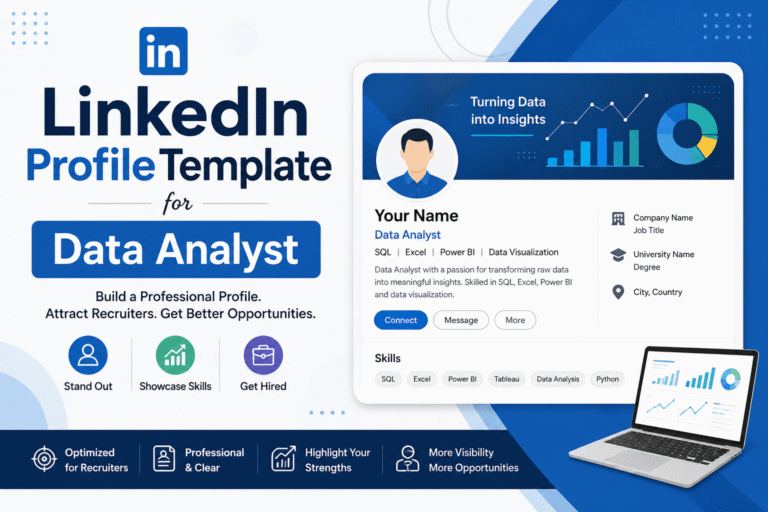
Many people underestimate the power of a LinkedIn profile when it comes to getting hired, But in reality, it plays a much bigger role than you might think. Recruiters and hiring managers often check LinkedIn before anything else to quickly understand who you are, what you’ve done, and what skills you bring to the table.
A well-optimized profile can significantly improve your chances of getting noticed.
This blog is a ready-to-use LinkedIn profile template designed for Data Analysts[ Experience and fresher both], so you can create a strong and impactful profile without confusion.
In this blog, you will learn
Table of Contents
Step 1: How To Create a Strong Profile Headline
Use this formula:
Role + Skills + Tools + Value
Template:
Data Analyst | SQL | Excel | Python | Power BI | Turning Data into Actionable Insights
Alternative (Fresher):
Aspiring Data Analyst | Skilled in Excel, SQL, Power BI | Data-Driven Problem Solver
“Also Read 50+ Data Analyst Profile Headline Samples & Choose What Fits You Best”
Step 2: How To Write a Powerful “About” Section.
This is where you tell your story.
Structure:
- Introduction
- Who you are
- Your career goal
- Skills & Tools
- Mention tools like SQL, Excel, Python, Power BI
- Experience / Learning
- Projects (for freshers)
- Work experience (for professionals)
- Achievements
- Certifications
- Internships
- Call to Action
- Open for opportunities
Template:
I am a [Fresher / Data Analyst with X years of experience] passionate about working with data to uncover insights and support business decisions.
I have strong skills in [Excel, SQL, Python, Power BI, Tableau, etc.] and enjoy transforming raw data into meaningful dashboards and reports.
👉 Key Skills:
- Data Cleaning & Data Analysis
- Data Visualization
- SQL Queries
- Dashboard Creation (Power BI / Tableau)
👉 Projects / Experience:
- Worked on [Project Name] where I analyzed [type of data] and improved [result/insight]
- Created dashboards to track [business metrics]
👉 Achievements:
- Completed [certification/course name]
- Built [number] real-world data projects.
I am currently looking for opportunities as a Data Analyst where I can apply my skills and grow professionally.
📩 Open to job opportunities, internships, and collaborations.
Step 3: Add Experience Section.
For Freshers:
Don’t worry if you don’t have job experience.
👉 Add:
- Internships
- Freelance work
- Personal projects
Sample
Data Analyst Project | Self Project
📍 Remote
- Collected and cleaned data using Excel / SQL
- Analyzed data to find trends and patterns
- Created interactive dashboard using Power BI
- Provided insights to improve decision-making
For Experienced Professionals:
- Focus on results + impact
Sample
Data Analyst | [Company Name]
📍 Location | 📅 Duration
- Analyzed large datasets using SQL and Excel
- Built dashboards using Power BI/Tableau
- Improved reporting efficiency by X%
- Provided actionable insights that increased [sales/revenue/efficiency]
Step 4 : Skills Section
Skills help your profile rank in search.
Must-have Data Analyst Skills:
- SQL
- Excel
- Python
- Power BI
- Tableau
- Data Visualization
- Data Cleaning
- Statistics
👉 Add at least 10–15 relevant skills
Step 5: Add Projects( important for freshers)
Projects are the strongest proof of your skills.
Sample
Project Title: Sales Data Analysis
- Tools Used: Excel, Power BI
- Cleaned and analyzed sales data
- Built dashboard to track performance
- Identified trends to improve sales strategy
Step 6: Add Certifications
Certifications increase trust.
Popular ones:
- Google Data Analytics Certificate
- Excel / SQL courses
- Power BI certification
👉 Add certificates in the “Licenses & Certifications” section.
Step 7 : Education Section
Step 8: Featured Section (Optional but Powerful)
👉 Add:
- Project links (Google Drive / GitHub)
- Portfolio website
- Dashboard screenshots
Step 9: Customize Your LinkedIn URL
Default URL looks messy.
Example:
❌ linkedin.com/in/ankita123456
✅ linkedin.com/in/ankita-data-analyst
👉 Go to profile → Edit URL → Customize
Step 10 : Create a Banner with Canva
You can easily create a banner using Canva (a free tool):
How to create:
- Go to Canva and search for “LinkedIn Banner” templates
- Choose a simple and clean design (avoid too many colors or clutter)
- Edit the text and add:“Data Analyst” |SQL | Excel | Power BI
- Use a professional font and keep the design minimal
- Download and upload it to your LinkedIn profile.
Step: 11 Stay Active on LinkedIn
Don’t just create a profile—stay active.
What to post:
- Your learning journey
- Project screenshots
- Tips on data analytics
- Certifications
👉 Posting builds visibility and credibility
Step 12 : Build Network Strategically
Start connecting with:
- Data analysts
- Recruiters
- HR professionals
- Industry experts
Message example:
“Hi, I’m learning data analytics and would love to connect and learn from your experience.”
👉 Sent 10-15 requests daily because Networking = Opportunities.
I hope this guide helps you create a powerful LinkedIn profile as a Data Analyst.
If you found this blog helpful, don’t forget to share your thoughts in the comments below—I’d love to hear from you!